Save the trip
before it
gets lost
Trip Pocket is a dedicated inbox for travel ideas. It turns the screenshots and the Instagram and TikTok posts you'd otherwise lose into places you can actually find again.
On iPhone. Free to use, Pro optional.
- 01
- CaptureScreenshot it, or share from Instagram & TikTok
- 02
- Pick a tripOne tap to file it where it belongs
- 03
- DoneAI sorts the places onto your map
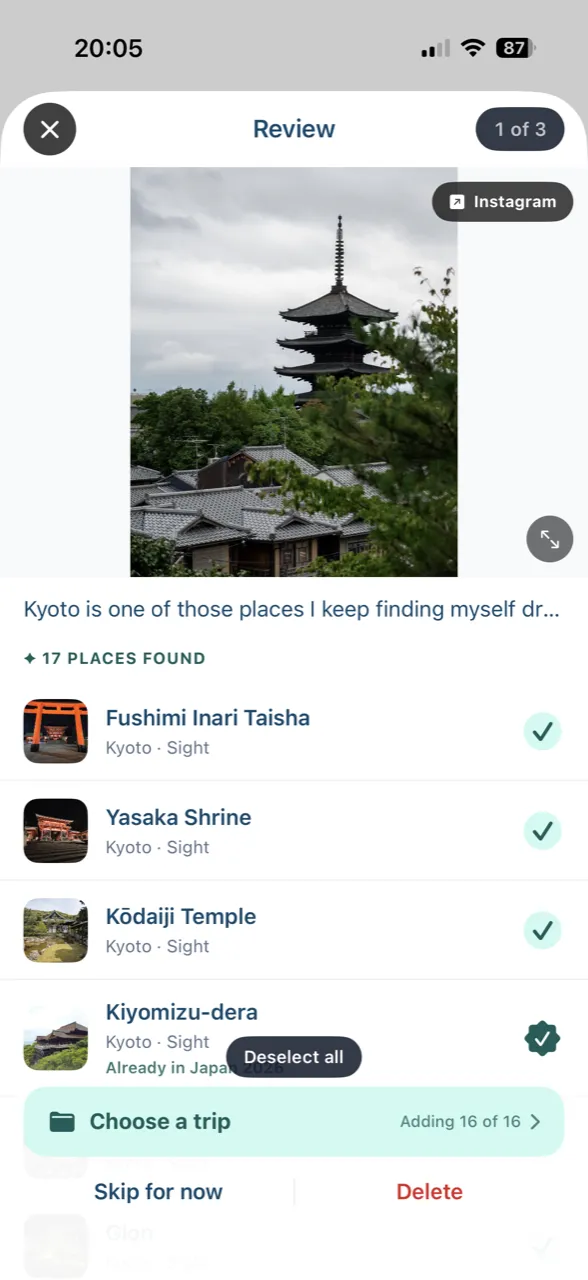
01ExtractAI pulls every place out of a post 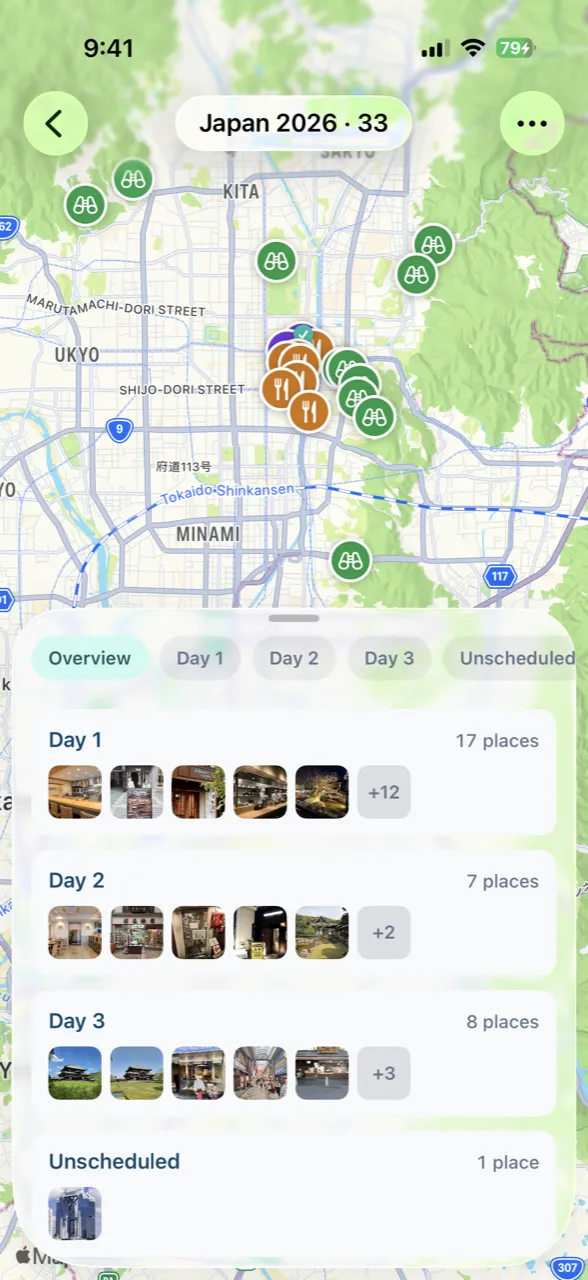
02PlanLay out your days on the map 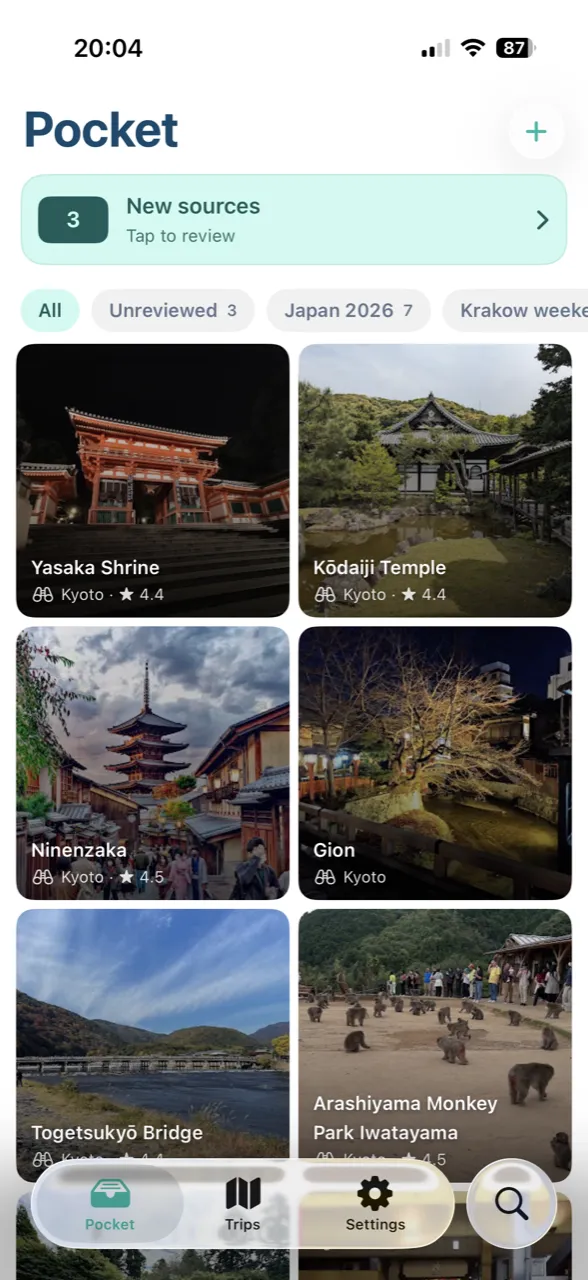
03OrganiseEvery save in one tidy grid 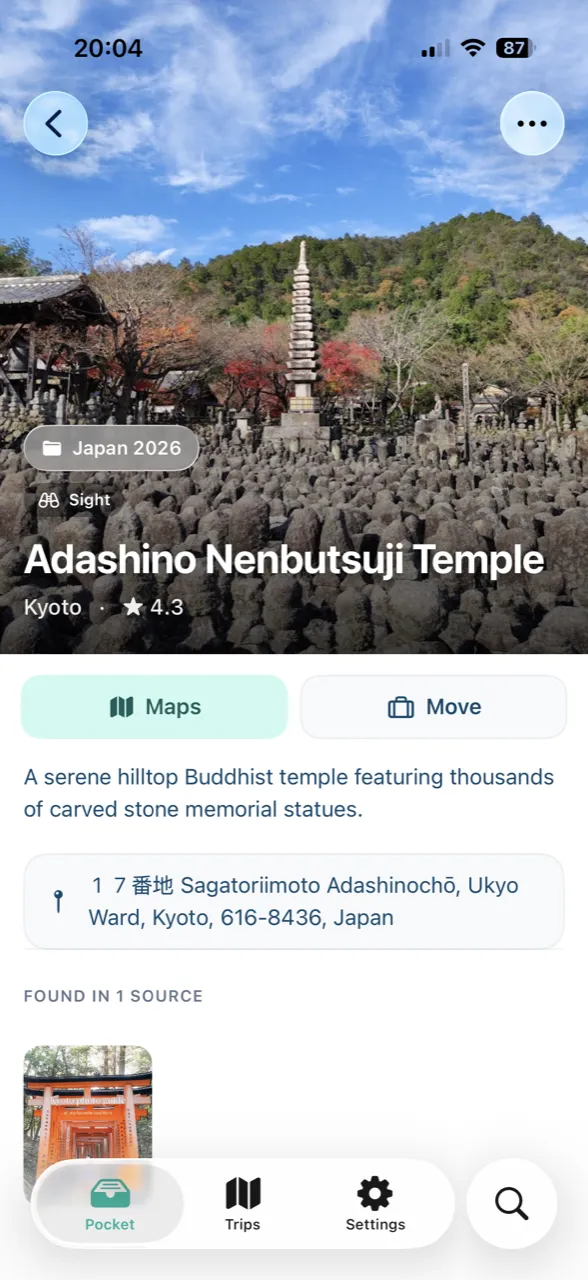
04DetailsHours, map and notes per place 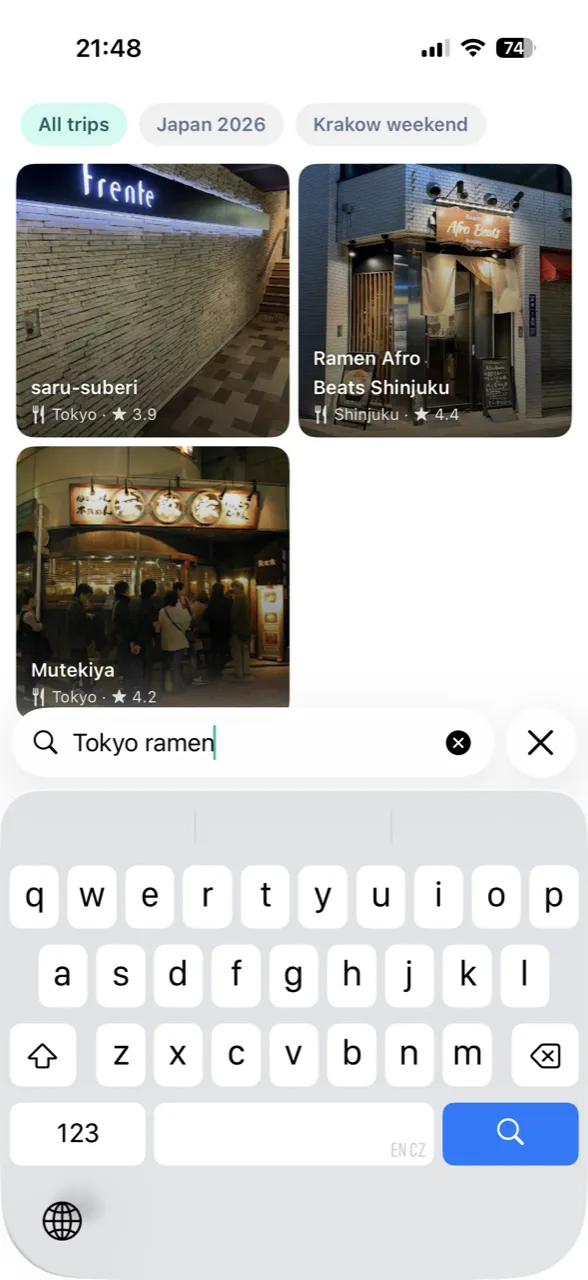
05FindSearch it back in seconds
What's in the box
Capture, organize, recall. The whole loop in one app.
If you see it, save it
Screenshot an article, or just share a TikTok or Instagram post straight from the app. Photos already sitting in your camera roll work too. One tap and it's saved; you sort out where it goes later.
It reads the caption, the photos, every slide of a carousel, and the video itself, so it catches spots other apps miss. Works on posts in Japanese, Korean, and Thai. You get back a tappable card with a real photo, a short summary, the address, rating, and price.
place: "Maru Tonkatsu"
city: "Shibuya"
category: "food"
summary: "Crisp panko-crusted tonkatsu at a tiny ten-seat counter in Shibuya. Cash-only, no reservations, beloved by locals for perfectly rendered pork loin."
// + photo, address, rating, price…
Loose collections, the way you actually think about them: “Tokyo coffee”, “ramen I have to try”, “someday Italy”. A place can sit in as many lists as you want.
Drop places into a trip and sort them into days. Drag to reorder, or tap Optimise and it'll order a day's stops by distance. You still pick the places yourself; it won't invent an itinerary for you.
Day 2 · Shibuya
Every place is a colour-coded pin. Pick a day and its stops draw a numbered route, so you notice the three cafés that are one street apart before you cross town four times.
On-device OCR reads the text inside every screenshot, so you can search by place name, city, or the actual words in the image. That café you saved three months ago is a search away.
On every device. Even with no signal.
Sign in with Apple, no password, and your real email stays private. Your places, trips, and lists sync across your devices and still open when you're abroad with no signal. Delete the whole account whenever you want.
247 screenshots in Photos. 38 places in Trip Pocket.
Travel ideas live in their own space, away from your grocery lists and memes.
How much does Trip Pocket cost?↓
Trip Pocket is free to use - save places, build trips, and explore the map without paying. Pro unlocks unlimited places, trips, and AI extractions for $3.99 a week or $39.99 a year, each with a 7-day free trial. Billing goes through the App Store, and Pro is the only plan - no add-ons or hidden upsells.
Does it work with Instagram and TikTok?↓
Yes, both fully. Share any post and the AI reads the caption, the photos, every carousel or slideshow slide, and the video, so it catches places other apps skip. Posts in Japanese, Korean, and Thai work too. You never have to screenshot anything first.
Which sources are supported?↓
Share a post straight from Instagram or TikTok (or paste another link), or share any screenshot or photo from your camera roll that has text on it. If there's a source you wish we supported, tell us from the contact page.
Do I need an account?↓
Yes. You sign in with Apple, so there's no password to remember and your real email stays private. The account is what syncs your places, trips, and lists across your devices.
Does it work offline?↓
Everything you've already saved works with no connection, which is exactly the situation you're in when you're travelling. Saving new things and editing need a connection, and the app tells you when that's the case.
Where does my data live, and is it private?↓
Your places, trips, and lists live in your account on our servers, which is how they sync between devices and stay backed up. Sign in with Apple keeps your email hidden, and you can delete your account and everything in it from Settings, no email to support required.
How does the AI work?↓
It reads the image, the video, and the caption, pulls out the place name, city, and category, then checks each one against Google Maps. If Maps doesn't recognise a place, we don't save it, so the AI can't invent somewhere that doesn't exist.
Can it plan my itinerary for me?↓
It finds the places and puts them on a map; the choosing is yours. You sort places into days, see each day's route, and can tap Optimise to order a day by distance. Trip Pocket won't auto-generate an itinerary or decide where you should go.
Is there an Android version?↓
Not yet. We're launching on iPhone first. If you'd like a heads-up when Android opens, drop us a line on the contact page.
Now on iPhone
The trip starts
in your pocket
On iPhone. Free to use, Pro optional